Platform · Screening and policy
Read the prompt before somebody else does.
Everything your applications send to a model passes through the gateway first. Eight detectors look at it, a policy engine decides, and the decision is recorded with the rule that made it.
01 — Detectors
Patterns for what you can describe. A model for what you can't.
Regex is fast, cheap and explainable, and it fails on anything phrased a way nobody anticipated. The classifier covers that gap. Running both means most traffic is decided before the GPU is touched.
- Jailbreak
- DAN prompts, "ignore previous instructions", developer-mode exploits and role-play escapes. Fourteen or so patterns, each with its own risk weight.
- PII
- Email, phone numbers in US and UK formats, SSN, credit cards, IP addresses, NHS numbers, National Insurance numbers, passport numbers and dates of birth. Each match is classified by type, so a policy can treat a card number differently from an email address.
- Secrets
- AWS keys, GitHub tokens, Stripe keys, Slack tokens, private keys, connection strings, bearer tokens and generic API keys. High-confidence patterns weighted by severity, because a false positive here blocks someone’s work.
- Prompt injection
- System-prompt overrides, [system] and <<SYS>> tags, "forget everything" attacks and instructions hidden inside pasted content.
- Toxicity
- Hate speech, violent threats, self-harm, harassment and illegal activity, across five categories.
- Topic restriction
- Subjects you decide are off limits, configured per rule rather than baked into the product.
- Custom regex
- Your own patterns, named, scored and managed in the console. This is where project code names and internal identifiers go.
- Classifier
- A small model, fine-tuned by us, covering every category above plus code injection, data exfiltration and encoding attacks. It catches paraphrased jailbreaks and contextual PII that regex cannot. About 140 ms per request, roughly eight a second on one GPU. If it is unavailable, screening falls back to patterns alone.
02 — Actions
Five outcomes, and the strictest one wins.
- BLOCK
The request stops at the gateway. The provider never sees it, the caller gets an error naming the reason, and the row is written.
- REDACT
The match is removed and the rest of the prompt goes on. Useful for support traffic where a customer's email address is incidental to the question.
- WARN
Forwarded, flagged in the response headers and recorded. This is how you roll a new rule out without breaking anyone's work on day one.
- ALLOW
The ordinary case, and most of your traffic. Still measured, still attributed, still in the log.
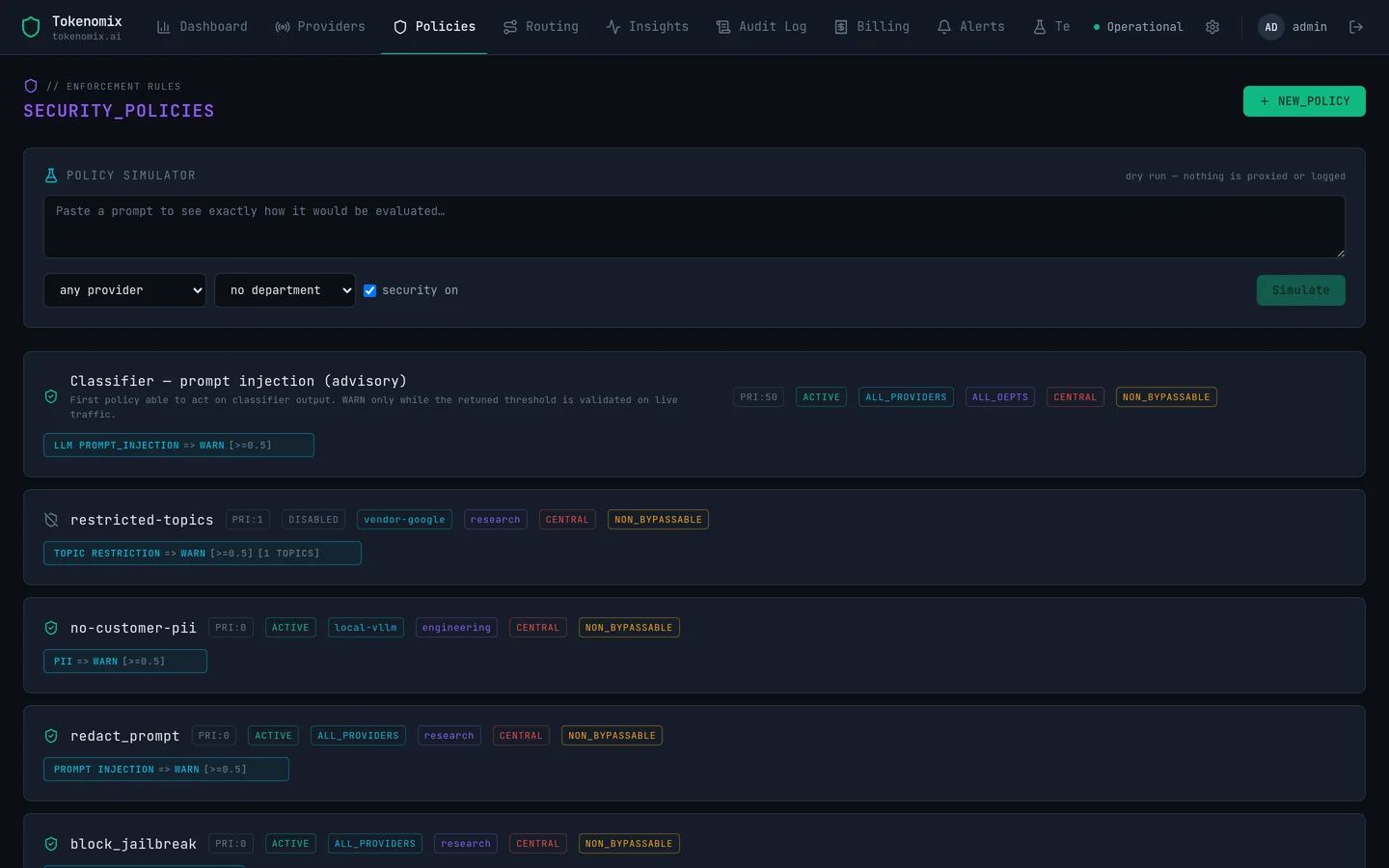
Policies carry a priority and a scope. Scope them to providers, to departments, or leave them empty to apply everywhere. When several match, the engine takes the strictest action across all of them, which means a department can add enforcement to a central rule but has no way to weaken one.
03 — In the console
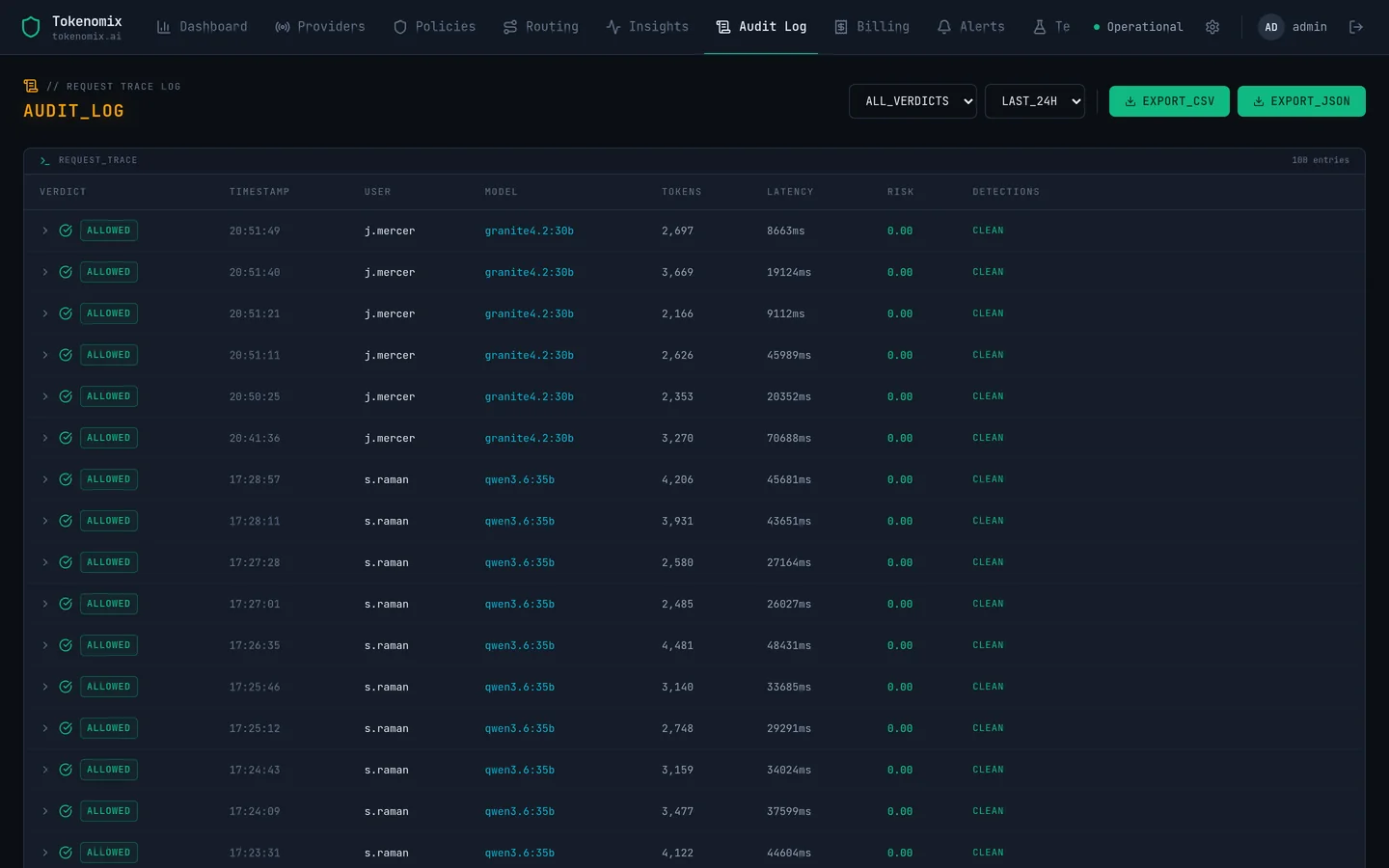
Rules you can read, and a log that explains itself.
04 — Questions
Screening, in practice.
What happens to a request that trips a rule?
Whatever the strictest matching rule says. Block returns an error to the caller and never contacts the provider. Redact strips the match and forwards the rest. Warn forwards it and flags the row. Log records it silently. Every outcome is written to the audit log with the rule that produced it.
Can we turn screening off for a team that does not need it?
Yes, per department, per user or per single API key, and only by that department’s admin. Policies central IT marked non-bypassable are still evaluated, and only the detectors those policies need get run, which is often none at all. A central setting can withdraw the whole capability instantly.
How do you handle false positives?
An analyst marks the row as a false positive in the audit log. That feedback drives a per-detector false-positive rate in the dashboard, so you can see which rule is costing people time. Per-category suppression for the classifier is editable at runtime, without a redeploy.
Does screening add much latency?
Pattern detectors are negligible. The classifier adds about 140 ms per request. Requests that are already over quota are rejected before either runs, so they cost nothing.